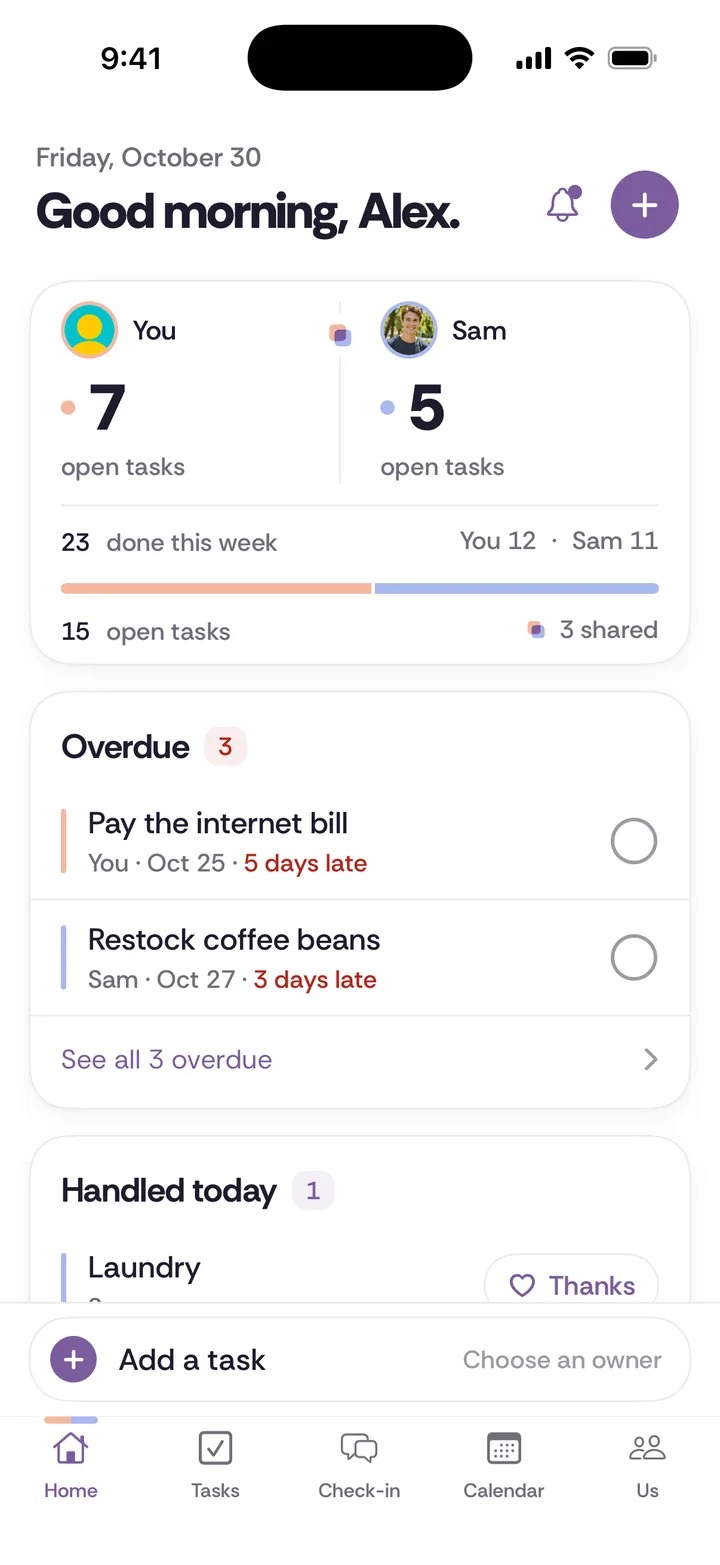
A shared calendar for couples should show both of your plans side by side, keep the dates that matter in view, and include the tasks that land on a specific day. The Tiptoe Calendar does those three things: each person's plans are marked so you can tell whose is whose, birthdays and anniversaries stay visible, and tasks with a day or time appear on the calendar automatically.
Who is this for?
Couples who find out about each other's plans at the last minute. A husband who learns at 5pm that his wife has a work dinner. A wife who double-books the Saturday her husband promised to help his brother move. A boyfriend who forgets his girlfriend's mother's birthday because it was only ever in her phone. None of this is carelessness. It is two calendars that never meet.
What problem does it solve?
Every plan has the same four jobs as a chore. Someone notices it is coming, plans around it, shows up, and follows up. When only one partner sees the full week, that partner becomes the household's scheduler, fielding "are we free Saturday?" and remembering every birthday card. It is invisible work, and it adds up. See invisible labor for more on that.
One calendar you both see moves the noticing to both of you. If your partner can see you have a dentist appointment Thursday at 4, they can see who is picking up the kids without asking.
How it works, step by step
Step 1. Open Calendar. You see today and the week ahead for both of you.
Step 2. Add your plans. Each person's plans are marked, so it is clear whose appointment is whose.
Step 3. Save the key dates. Birthdays, anniversaries and your own small milestones: the day you moved in, the dog's adoption day, the first date. They stay in view instead of buried in one person's contacts.
Step 4. Give tasks a day or time. A task with a day or time shows up on the calendar, so "drop off the dry cleaning" sits on Tuesday next to everything else. See Tasks for how owners and due dates work.
Step 5. Connect a calendar you already use, if you want to. This is optional. You can keep using the calendar you have and still see the shared week here.
Step 6. With Pro, get Tiptoe in Apple or Google Calendar. Pro adds a calendar feed, so Tiptoe also shows up in Apple or Google Calendar.
Calendar plans and key dates are shared with your partner. To keep a surprise, use a private task or a private gift idea instead.
Three household examples
- The Thursday collision. One partner has a late meeting. The other has a pediatrician appointment for the baby at 4:30. Both are on the calendar, marked by person. On Sunday, you both see Thursday is tight, and one of you moves the meeting or asks a grandparent, before it becomes a 4pm phone call.
- Her dad's 70th. The birthday is saved as a key date. A task, "Order the photo book for Dad's 70th," has an owner and a day two weeks before, so it appears on the calendar too. The gift arrives in time, and it is not the job of whichever partner is related to him.
- Date night that actually happens. You agree on the first Friday of each month. It goes on the calendar where you both see it, and one partner owns booking the sitter as a task with a day. The date nights guide helps with what to do.
What it does not do
- Connecting your existing calendar is optional. The feature page does not list which calendar services connect, so check in the app before you rely on it.
- The feed into Apple or Google Calendar is a Pro feature. Free includes the Tiptoe calendar itself.
- Plans and key dates are shared. There is no private event on the feature page; keep surprises in a private task or a private gift idea.
- It does not schedule for you or find a free slot. You still decide.
- There is no Android app. A partner without an iPhone can use the web app at app.tiptoe.ai, which shares the same data.
How does it compare to a notes app, Apple Reminders or paper?
A notes app is the wrong tool for dates. You can list birthdays in a note, but nothing reminds you when they come up, and nothing shows two people's weeks side by side.
Apple Reminders is good at single dated reminders. As of November 2026, Apple's support page says notifications you set for your reminders are not shared with anyone else, so a birthday reminder you set will only alert you. For a view of both your weeks, a shared calendar fits better. Our guides on sharing an iPhone calendar with your partner and sharing a Google Calendar with your spouse walk through both, and if your calendar is the only gap, they may be all you need.
A paper wall calendar in the kitchen is still one of the best shared calendars there is. Both of you see it every morning, it costs almost nothing, and you can use one pen color each. The limit is that it does not come with you, so plans made at work have to wait until you get home to go on it. If you go this route, set one rule: nothing is confirmed until it is on the wall.
Tiptoe fits when you want the calendar connected to your tasks, chores and weekly check-in, so the week ahead is one conversation instead of three apps.
How to start this week
Add the next three months of birthdays and anniversaries on both sides of the family. Then add this week's plans for both of you. At your next weekly check-in, look at the week together for five minutes before anything else.
Related guides
- Couples calendar guide
- Best apps for couples, sorted by job
- Date nights for couples with real schedules
- Shared to-do list for couples
- Partner profiles and private gift ideas
Questions about calendar
What is the best shared calendar app for couples?
It depends on what you already use. If you already share one calendar service, sharing that calendar may be enough, and our guides for iPhone and Google show how. Tiptoe adds your tasks and key dates to the same view. Our [best apps for couples guide](/best-couples-app/) covers the options.
How do I share my calendar with my husband or wife?
The simplest way is to share the calendar you already use and agree that plans are not confirmed until they are on it. In Tiptoe, both partners' plans appear in one Calendar, each marked by person, and connecting an existing calendar is optional.
How do I remember my boyfriend's or girlfriend's family birthdays?
Save them as key dates on a calendar you both see, then add a task with an owner a week or two before for the card or gift. That way it is not left to whoever is related to them.
Can I see Tiptoe in Google Calendar or Apple Calendar?
Yes, with Pro. Pro adds a calendar feed so Tiptoe shows up in Apple or Google Calendar. Pro is $9.99 a month and covers both partners.